Best free chess analysis websites for Android and iPhone
You felt you were making all the right moves. Then you lost. Now you're staring at the result on your phone, wondering which move threw it away. You don't need a paid review to find out. These five websites let you replay the game, check the mistake and try something better.
Start with ChessAnalysis.co for phone reviews. We built it specifically for mobile, with Previous and Next under the board and separate views for review and engine lines. Fetch a Chess.com game by username, or use Scan to load a board screenshot. Lichess keeps variations in a move tree. Chessigma puts the position in a shareable URL. Chess It Up returns move grades; Lumichess adds written comments.
See what a game review can uncover
White has just played 2. g4, leaving the king exposed. Black can finish the game in one move. Can you spot it?
After 1. f3 e5 2. g4. Black to move.
Reveal Black's reply
2…Qh4#. The queen has a clear diagonal to the king on e1, through g3 and f2. White can't block the check or get the king out of the way.
The queen on h4 delivers checkmate.
The analysis views
These screenshots show a longer game.
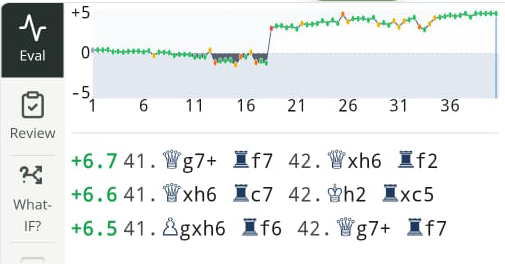
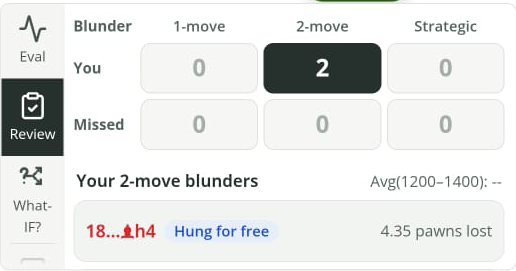
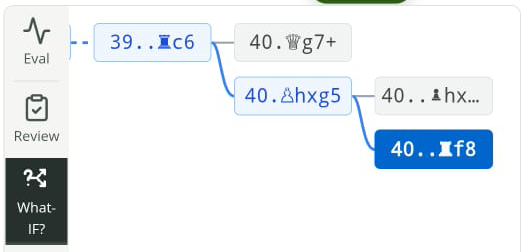
Go back a move and try 2. g3 instead of g4. The pawn blocks that diagonal.
To move the pieces and check engine replies, open this example on our analysis board.
Free chess analysis tools compared on a phone
A game report points you toward the mistakes. An engine board lets you test the move you're still thinking about. Move through the game and see how it would have changed if you'd played something else. Review your blunders and strategic errors too.
ChessAnalysis.co
- Use it for
- Free analysis built specifically for mobile. Run a what-if analysis and see blunder reviews.
- Free tools
- Chess.com and Lichess import, game review, board scanning, eval graph and what-if moves
- Keep in mind
- No consolidated report; no chess coach chatting unless you ask for it.
Lichess
- Use it for
- Branching into alternative engine lines
- Free tools
- PGN board, engine lines, variations
- Keep in mind
- Server game-analysis requests have usage limits
Chessigma
- Use it for
- A dedicated board and position links
- Free tools
- Local Stockfish, PGN/FEN board; Chess.com and Lichess username import on the home page
- Keep in mind
- The board controls and engine panel need scrolling
Chess It Up
- Use it for
- Move grades and accuracy
- Free tools
- Whole-game reviews; free depth up to 12
- Keep in mind
- Ads; deeper cloud analysis is paid
Lumichess
- Use it for
- A report followed by move review
- Free tools
- Game report and adjustable-depth analysis
- Keep in mind
- The AI coach is a separate paid product
ChessAnalysis.co: import, scan and review on your phone
Most of the time, the game is already in your Chess.com history. We built ChessAnalysis.co specifically for mobile, so start with Import, choose Chess.com, enter your public username and tap Fetch Recent Games. Pick the game. The same menu can fetch Lichess games by username.
Under the board, five views split up the work: Review, Eval, Moves, Best and What-if. Tap a mistake in Review to return to that position. The green Previous and Next buttons stay under the board while you replay it.
The wait is our weak spot. Depending on your game length, the evaluation can take 5–30 seconds. The review then runs in the background for another 5–30 seconds.
Once it's ready, open What-if and play the move you wish you'd made. The original game stays there, so you can return to it after following the reply. Best shows suggested moves for the position on the board.
For a board screenshot, use Scan instead of importing a game. Upload the image, check the detected pieces and set whose turn it is. Correct any errors, then tap Analyze Position. A straight-on photo of a 2D board works too. A scan loads one position; it can't reconstruct the earlier moves.
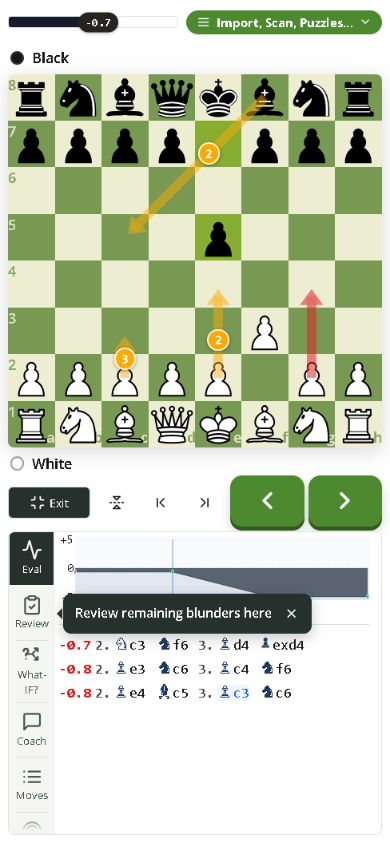
- Open the menu for Import and Scan.
- Use What-if to test a different move.
- Replay the game with the large green move buttons.
Lichess: a free engine board
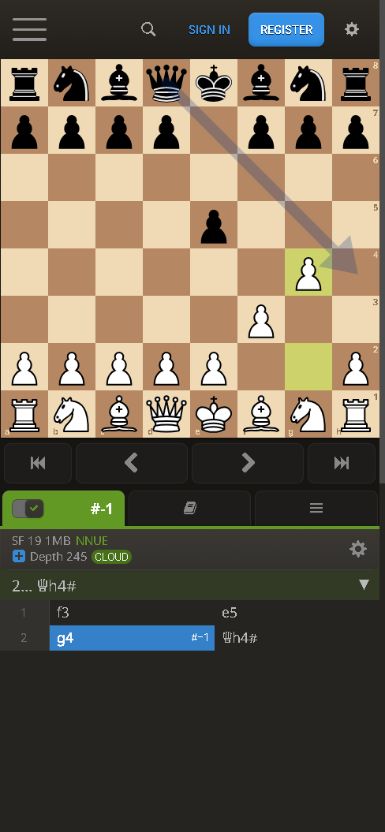
Compared with a report that labels every move, the Lichess board leaves more of the digging to you. Load a game, turn on the engine and try a different move. Both lines can stay in the move tree. In our short test, selecting 2. g4 showed the mating reply Qh4#, with the move controls and engine output below the board.
The annoying distinction is between local analysis and a server game review. The board engine is free to use, but server-side full-game analysis requests have usage limits. Same site, different rules. Use Import game for a saved game page; the FAQ explains its Stockfish engine and donation funding.
Chessigma: the board worked; the report didn't
The importer said it had succeeded. We couldn't get a usable new report from the library. That was frustrating.
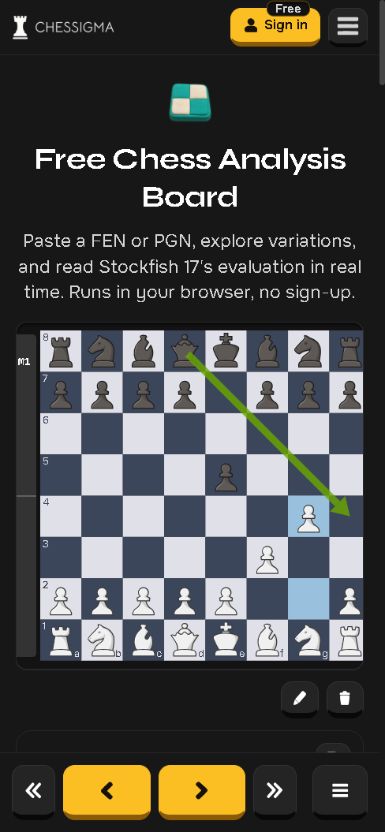
The standalone board did work. Our PGN loaded without signing in, and selecting g4 brought up the engine's mate-in-one line. Yellow Previous and Next buttons sit directly under the board. Too much scrolling between the bits we wanted to compare.
The current FEN appears in the URL. Bookmark it or send the link and the other person gets that position.
To try the Chess.com importer, open the home page, choose Chess.com, enter your public username and tap Review Games. Select a game from the library. Lichess import is available too. The product page describes accuracy and move grades; our successful engine test was on the standalone board.
Chess It Up: a whole-game report with ads
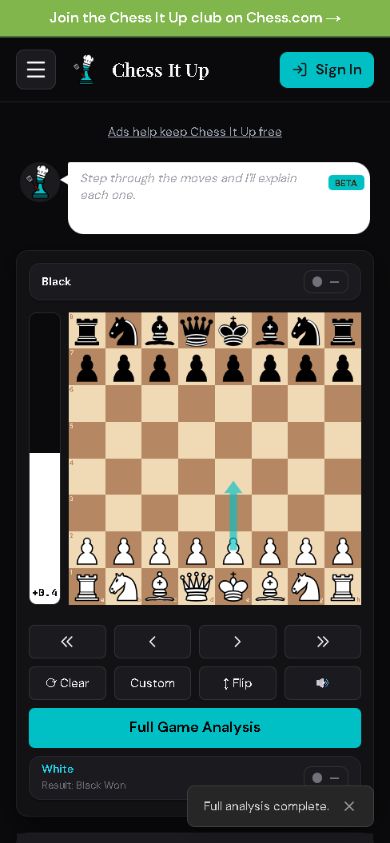
The ad banner on Chess It Up irritated us on the phone because it took space from the board. Paste a PGN or enter a public username, load the game and tap Full Game Analysis; our test returned accuracy and move labels without a payment prompt. Its pricing table lists unlimited free reviews without an account, browser depth up to 12, and paid options for deeper cloud analysis or removing ads.
Lumichess puts a report between you and the board
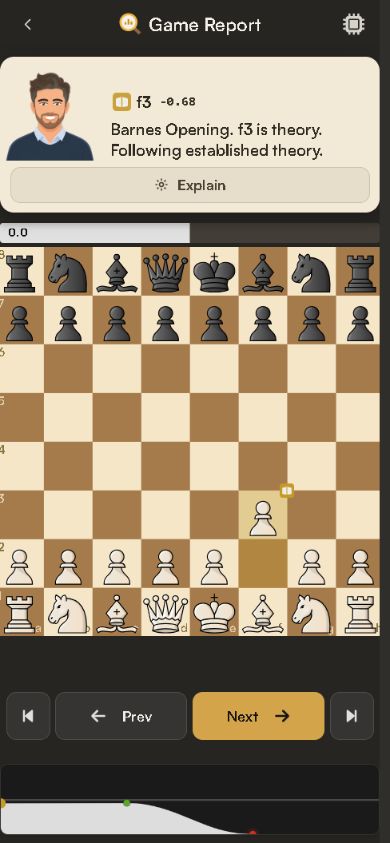
An extra stop before the board. Lumichess showed a Game Report with a blunder count and accuracy by phase, then made us tap Start Review to replay the moves. We wanted the board first. Once there, a written comment sat above it and Previous and Next below.
The site describes free analysis with no daily cap, public-username and PGN input, and adjustable depth. Coach Lumi costs extra.
How to analyze a game on iPhone or Android
Start with your Chess.com username. You don't need to export a file, and you won't be asked for your Chess.com password.
- Open ChessAnalysis.co in Safari on iPhone or Chrome on Android.
- Tap Import and select Chess.com.
- Enter your public Chess.com username, then tap Fetch Recent Games.
- Select the game you want to review. Keep the page active while its analysis runs.
- Open Review and tap a mistake. Use Previous and Next to replay the position, then use What-if to try a different move.
- Write down the reason the move failed. "I moved the pawn that protected my king" gives you something to watch for in the next game.
Questions about free mobile chess analysis
What is the best free chess analysis website for iPhone?
Start with ChessAnalysis.co. We built it specifically for phone use, with Previous and Next under the board, Chess.com username import and Scan for board images. Tap a mistake in Review to return to its position.
Can I analyze chess games on Android without installing an app?
Yes. Open ChessAnalysis.co in Chrome, tap Import, choose Chess.com and fetch games with your public username. Pick a game to review. All five websites in this comparison let you analyze in the browser.
Can I import my Chess.com games for free?
Yes. ChessAnalysis.co and Chessigma can both fetch recent games from your public Chess.com username. On ChessAnalysis.co, tap Import, choose Chess.com, enter the username and tap Fetch Recent Games. On Chessigma's home page, choose Chess.com, enter the username and tap Review Games. Then pick a game.
Is Lichess analysis unlimited?
The local Lichess analysis board is free to use without a subscription. Requests for server-side full-game computer analysis have usage limits. You can still explore positions with the local engine.
What is the difference between PGN and FEN?
PGN contains a game's moves, often with player names, the result and comments. FEN is a snapshot of one position. Use PGN for the whole game and FEN for a position you want to check.
Do I need a paid subscription to find my mistakes?
No. Free engines show the evaluation and suggested moves. Chess It Up also returned move grades in our test, and Lumichess showed a written comment. Paid features can include cloud analysis, coaching and removing ads.
What we checked and where to verify it
We opened the phone layouts and loaded the same short game, 1. f3 e5 2. g4 Qh4#, to check that moves and analysis appeared. The screenshots show those mobile interfaces. We didn't benchmark long games or test every paid feature.
Chessigma's standalone board loaded the game and showed the engine reply. Its separate library importer showed a success message, but we couldn't get a usable new report from that path.
- Lichess's funding and free-service model, engine FAQ and game import.
- Lichess's feature table distinguishes unlimited board analysis from limited server game-analysis requests. Limits can change, so we have not printed a fixed quota.
- Chessigma's analysis board, game analysis and username import and paid-product boundaries.
- Chess Analysis's free game review and username import.
- Chess It Up's free and paid feature table.
- Lumichess's reports, free access and coaching description.
Sources accessed 4 October 2026. Check the linked pages for current free features and limits.
Review a game you just played
Import a game you're still annoyed about. Find the mistake and write down why it failed. Then try your replacement move on the board.
Import a game on ChessAnalysis.coRead next: Where amateur chess games are decided.